
Blogs
Save Google Meet Chat automatically with Liznr's GMeet Chat extraction
👤 Vikram Singh
Jan 29, 2026

Save Google Meet Chat automatically with Liznr's GMeet Chat extraction
Online meetings have become part of our daily work, collaboration and education. Platforms like Google Meet make it easier for us to connect clients, team and students in different locations. Even most people focus on what is spoken in meetings, yielding all the crucial information shared in meeting chat. One major limitation comes while using Google Chat is that your meeting notes disappear when the meeting ends. It means that important data can be lost unless someone manually copies it.
There is an increasing need to capture all relevant interactions occurring in meetings including chat messages. So here the role of Liznr's GMeet Chat extraction comes. It automatically saves the Google Meet chat and ensures that you don't miss anything important in your meeting. In this blog, we explore the limitations of conventional meetings and the role of Liznr's GMeet Chat extraction to extract key takeaways of your meetings.
Why Google Meet Chat is Important Than You Think
Even Google Meet chat is frequently overlooked, but it consists of vital information. Without disturbing the speaker, participants can share URLs, meeting agendas, supporting documents, follow-up queries, and brief responses via chat. Chat may even take over as the main mode of communication in big meetings or webinars.

People miss the real value of data if the google meet does not save the chat history after the meeting ends. Due to this, it is important for meeting participants to use Liznr's GMeet Chat extraction and get records of all their meetings.
Read also: 5 Time-Saving Hacks Your Calendar Isn't Telling You
Limitations of Traditional Meeting Notes
Traditional meeting notes focused on capturing what meet participants say during the discussion. Whether generated through transcription tools or manually, these notes are based on spoken conversations. This approach has some limitations, including.
- Audio-only focus: Written conversations that take place concurrently in chat are ignored by traditional notes, which mainly record spoken words.
- Missed silent contributions: In chat, participants frequently provide crucial references, links, or explanations without speaking aloud.
- Incomplete context: Gaps in comprehension may result from decisions or confirmations made in chat not showing up in meeting summaries.
- Manual dependency: When chat is captured manually, someone must remember to copy messages, which is simple to overlook when conversations are going on.
- Decreased accuracy: Action items or shared information may be misunderstood if one relies solely on memory or incomplete notes.
Relying exclusively on conventional note-taking techniques does not yield a comprehensive record of what actually transpired as meetings become more collaborative and fast-paced.
Problem with Google Meet Chat Disappearing
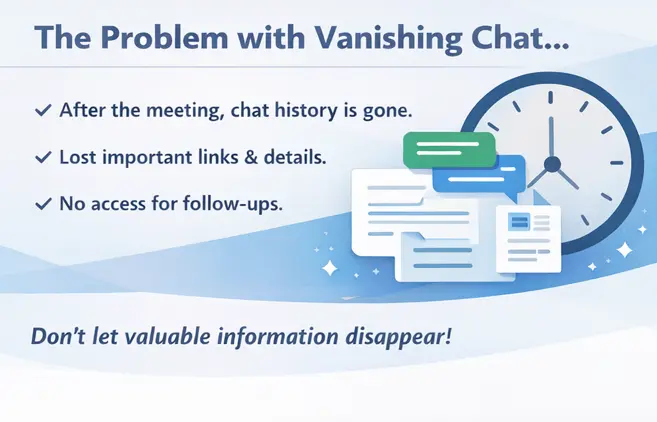
Google Meet chat is useful during meetings, but it has a significant drawback in that it ends when the meeting is over. This design decision may cause participants to lose important information that was discussed during the session, particularly if they later come to understand its significance. Here are the main problems that come when Google Meet chat disappears:
- Loss of crucial links and information: Following the meeting, URLs, documents, and references shared in chat are irreversibly lost.
- No access after the meeting: Participants are unable to review chat messages for clarification or additional information.
- More follow-ups: In order to recover previously information, teams may need to message or take follow-ups, and it take lot of time.
- Disruptions to workflow: Tasks and decision-making may be slowed down by missing chat details.
- Greater risk in crucial meetings: When chat records are missing, client calls, interviews, training sessions, and reviews suffer the most.
The disappearance of chat leaves a glaring hole in meeting documentation because chat frequently contains information that complements or supports spoken discussions.
What is Google Meet Chat Extraction?
Google Meet chat extraction is the process of gathering and storing chat messages from a meeting in an organized and easily accessible format. Extraction tools automatically gather messages as they are shared, eliminating the need to manually save chat content.
Time stamps, participant names, and the actual message content are examples of this extracted data. Chat extraction gives a full picture of what transpired during a meeting when paired with meeting notes or transcripts.
How the Gap is Closed by Liznr's GMeet Chat Extraction
There is a discrepancy between what is discussed and what is recorded in meetings that depend more and more on written communication and spoken dialogue. Chat messages frequently go unrecorded and vanish after the meeting, whereas traditional notes and transcripts record audio. This gap is filled by Liznr's GMeet chat extraction, which makes sure that written communications are considered an integral component of meeting minutes. Liznr's GMeet chat extraction fills this gap in a number of number of ways, as follows as:
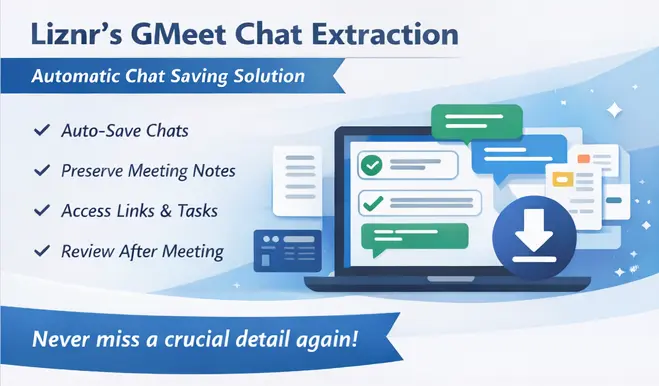
- Automatic Chat capture: During a meeting, chat messages are extracted without the need for manual copying or intervention.
- Preservation after the meeting: Data loss is avoided because chat content is kept after the Google Meet session concludes.
- Inclusion of silent contributions: Spoken takeaways are recorded along with messages, links, and explanations shared exclusively in chat.
- Comprehensive meeting records: Liznr chat extraction feature produces a more comprehensive picture of meeting discussions along with notes and summaries.
- Less reliance on memory: Rather than relying on memory or follow-up messages, teams can review specific chat messages by using Liznr's GMeet chat extraction feature.
- Enhanced clarity after the meeting: The decisions, references, and shared resources discussed during the meeting are validated by the saved chat.
- Consistency across meetings: Regardless of who attends or takes notes, every meeting is recorded in an organized manner after installing Liznr's GMeet chat extraction feature.
So, GMeet chat extraction facilitates more precise, reliable, and future-ready meeting documentation by bridging the gap between spoken and written interactions.
Applications for Liznr's GMeet chat extraction Features
Automatic Liznr's GMeet chat extraction is useful in a variety of situations, including:
- Team meetings: Record shared links, task assignments, and urgent clarifications.
- Client Calls: Keep track of crucial requirements, references, and shared materials.
- Training Sessions: Store queries, responses, and educational resources exchanged via chat.
- Interviews: Save links to resumes, portfolios, and coding challenges.
- Workshops and webinars: Record audience queries and answers for later use.
Chat content enhances overall meeting documentation and supports spoken discussion in each of these situations.
How to Use GMeet Chat Extraction in Liznr
It is easy and simple to use Liznr's GMeet chat extraction for users. Participants can concentrate on their meeting while chat messages are automatically recorded. All chat-based interactions are automatically recorded during and after the meeting thanks to the process' smooth background operation. Here's how you can easily use it:
- Link Liznr to Google Meet: To allow Liznr to access meeting information during your sessions, set it up with your Google Meet account.
- Launch or participate in a Google Meet meeting: Once connected, Liznr doesn't need any further action to become active when you join or host a meeting.
- Enable Automatic execution of chat extraction: Liznr records messages, links, and information shared by participants in real time.
- Keep the meeting going uninterrupted: Everything is recorded in the background, so there's no need to copy, paste, or keep an eye on the conversation.
- Conclude the meeting as usual: Normally, the chat would end when the Google Meet session ends, but Liznr has already saved it.
- Access the meeting takeaways and saved chat: Examine the extracted chat messages along with additional meeting notes and insights after the meeting.
- Use stored information for reference and follow-ups: Long after the meeting has ended, you can still access the shared details, action items, and links as needed.
This approach guarantees that crucial chat data is never lost and is always available as part of comprehensive meeting documentation.
Conclusion
Important information can be found in Google Meet chat, but it disappears after a meeting. When crucial links or information are shared in chat, relying only on spoken notes results in gaps in meeting documentation. This issue is resolved by using Liznr GMeet Chat extraction features. It automatically saves Google Meet chat and guarantees that all your conversations are saved permanently.
Chat extraction is evolving from an optional feature to a required one as meeting documentation continues to change. Teams obtain comprehensive, trustworthy, and future-ready meeting records by recording both spoken and written exchanges. This change is reflected in Liznr's GMeet chat extraction, which emphasizes keeping both shared chat content and spoken insights from each meeting.
Share:
Table of Contents
No headings found in this post
Unlock smarter meetings with AI. Explore Liznr for product updates, success stories & collaboration insights.


Useful links
liznr.ai Blog
Check out the Liznr blog for expert tips, inspiring customer stories, and smart strategies on productivity, remote work, and making the most of meetings.
Subscribe to Our Newsletter