
Blogs
How AI Picks Action Items from Meetings (And What to Do With Them)
👤 Vikram Singh
Oct 28, 2025
How AI Picks Action Items from Meetings (And What to Do With Them)
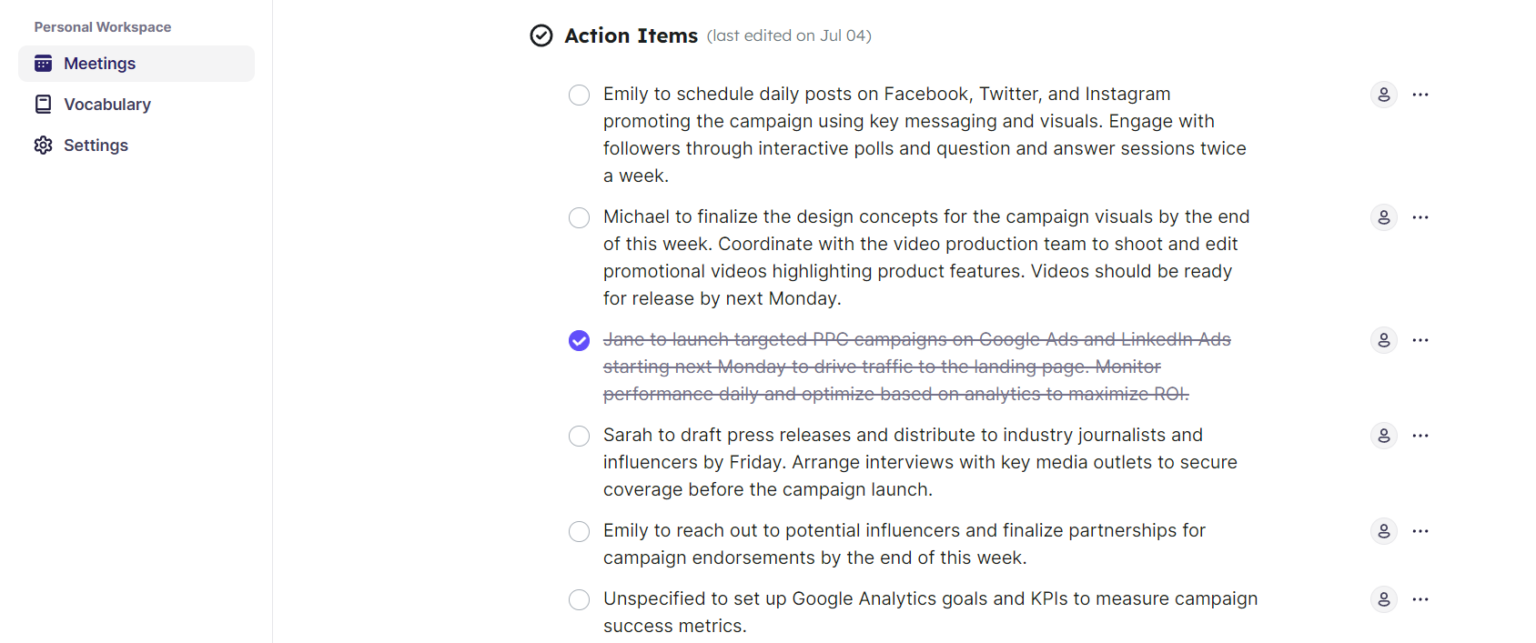
Conducting the meeting gives you an opportunity to discuss new ideas, collaborate with colleagues, and assess the team progress. In a meeting, you are assigned AI meeting action items for team members to complete when they continue working on projects.
It is important to understand action items and learn how AI picks action items from meetings. To help you in it, we discuss the meeting insights AI, step by step guide to pick action items, and best practices to manage action items after meeting.
What are “action items” in meeting contexts?
AI meeting action items are the duties or tasks from which action derives after a discussion. They give a way forward to every attendee. Instead of leaving an idea or decision unfinished, action items make certain someone is appointed to take the next steps. Movement from mere discussing things to actually taking the necessary action is also an important consequence.
How AI listens, analyzes, and extracts tasks from conversations
Use real-time transcription and a contextual understanding of it to point out features worth acting upon. For example, if someone says, "Can you update the report by Friday?", the AI knows that to mean "complete". Here's how:
- Transcribing: The meeting is transcribed using live speech recognition.
- Context Analysis: AI recognizes the verbs, intent, and task-related patterns such as "formulate", "deliver", "modify".
- Entity Detection: It finds the person whom you assigned the task and what the task is.
- Action Extraction: It extracts the action items and saves them, summarizes them and organizes them for follow-ups.
Technologies used
AI-based action items extraction in a meeting is backed by the following technologies:
- Natural Language Processing (NLP)
- Sentiment Analysis
- Context Awareness
- Machine Learning Models
Read also: Why Your To-Do List Is Failing You (And How Liznr Fixes It)
Real-world Examples
Here are some real-world examples of how AI picks action items from meetings.
Assign Roles to a Project
During the meetings, the host decides the responsibilities to a specific person on a specific subject, like communication, task and budget. For example, Ram will handle the marketing strategy and John will draft the project timeline.
Setting Deadlines
The team members also assigned the due dates of tasks, so everyone must know the deadlines. For example, the final report submission must be by Monday at 5 PM.
Arrange Follow-Up Meetings
AI meeting assistants also arrange follow-up meetings for a person. For example: 'Emma will call a follow-up on Thursday next week to review the draft proposal.'
Clarify Next Steps Based on a Discussion
If the decision calls for getting more data before it can be made, then an action item might be: "Michael will collate market research data and report findings at the next meeting."
Create and share Meeting Notes
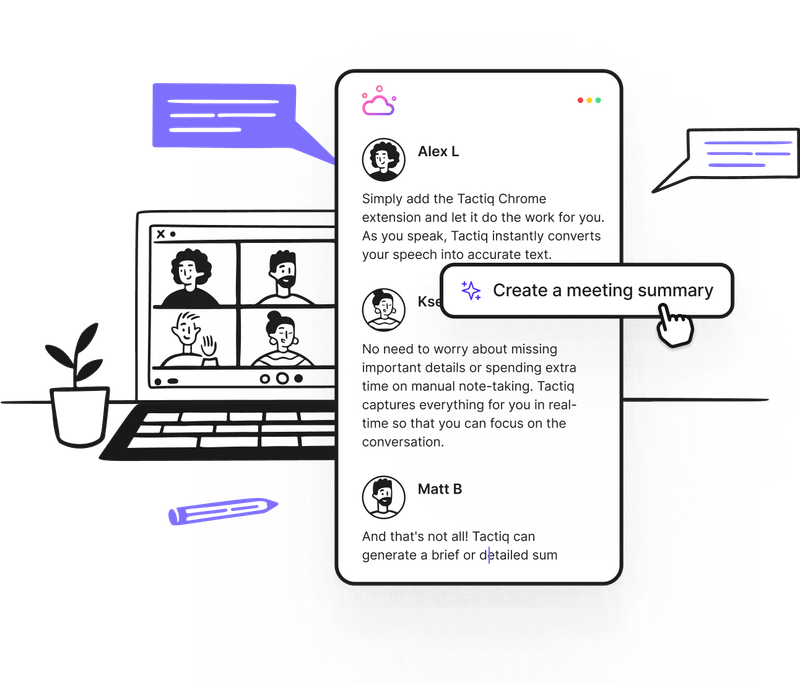
There is someone in the team who will be assigned to write up the minutes and distribute them to everyone. So, meeting insights AI also helps in it. It creates and shares the meeting notes itself.
Best practices: Ensuring accuracy of extracted tasks
To achieve the best results from AI action extraction, here are the tips you should follow:
- Speak Clearly and Use Specific Language. Don’t use vague words.
- Review AI Notes Post-Meeting and adjust task details.
- Correcting small errors helps the models learn context faster.
- Use Tagging for Roles. You should clarify speaker roles (manager, client, recruiter) for better task mapping.
Automating post-meeting follow-ups and notifications
Once you extract AI meeting action items, automation takes over. AI assistants can automatically continue following tasks like:
- Send task summaries via email or Slack.
- Add reminders for deadlines.
- Trigger notifications for pending follow-ups.
For example, Liznr automatically notifies team members when their assigned task deadline is near—maintaining accountability without manual tracking.
Integration with task managers (Jira, Asana, ClickUp, Trello)
Integration truly enhances AI’s power. Tools like Liznr sync extracted tasks with Jira, Asana & ClickUp, Trello, and CRM Systems. These seamless integrations ensure that every task from your meeting goes exactly where it’s needed without manual entry or duplication.
Assigning ownership and deadlines automatically
AI doesn’t just capture what needs to be done—it also determines who will do it and when. When names and time references are mentioned in a meeting, the system automatically assigns ownership and sets deadlines.
Example
“Riya, can you update the sales forecast by Monday?” becomes
- Task: Update sales forecast
- Owner: Riya
- Due: Monday
In Liznr, such tasks appear in your synced tool with complete details—ready for tracking and follow-up.
Reviewing and editing AI-extracted action items
Human oversights are important even after using AI to extract action items from meetings. Humans must review these action items and edit them properly. They also need to merge the duplicate tasks and adjust timeliness. They should also add missing context, like attachments and notes. Liznr offers a simple interface for this, combining automatic precision with human judgment for the best results.
Conclusion
Meetings without action items are not beneficial. So, AI meeting assistants work as knowledge recall and extract notes from it. It streamlines your workflows. Liznr makes it possible for you to turn conversations into action items, sync them with tools, and give the memory layer to teams with meeting insights AI.
Share:
Table of Contents
No headings found in this post
Unlock smarter meetings with AI. Explore Liznr for product updates, success stories & collaboration insights.


Useful links
liznr.ai Blog
Check out the Liznr blog for expert tips, inspiring customer stories, and smart strategies on productivity, remote work, and making the most of meetings.
Subscribe to Our Newsletter